VeriClick

For the person who answers their tech questions

Protect the people you care about.

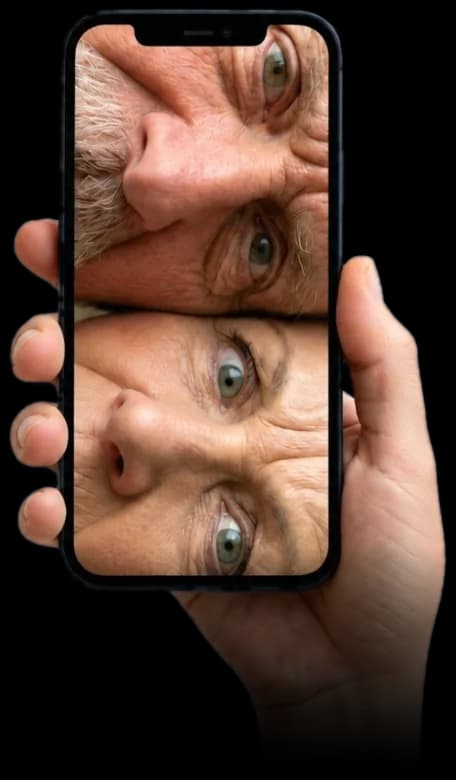
You know the video call. Forehead. Ceiling. A thumb over the camera.

Every family video call, ever.

A hand holding a phone too close on a video call, so a parent's face fills the screen

If the call is still a puzzle, a fake bank email is going to look real.

VeriClick is a free add-on for their Chrome or Edge. It checks a link and warns them, in plain English, before they type their password or any bank details.

You're on your phone

VeriClick goes on a laptop or desktop, in Chrome or Edge. Send yourself the link for when you're next at theirs.

Remind me this weekend

Already at the laptop? Just type vericlick.io/get

Free plan. No card and no sign up

Why it matters

Scammers go where the savings are.

Older people aren’t careless. They’re targeted, because they tend to have more money and trust a polite email. And many won’t tell you they’re worried.

30%

of New Zealanders aged 60+ have fallen for a banking or finance scam, against about 19% of people aged 18–59.

Source: Consumer NZ survey, Feb 2025
55%

of UK over-65s could not tell whether a text “from their bank” was real or a scam.

Source: Independent Age, 2024
65+

Fraud fell for most New Zealanders in 2025. Adults aged 65 and over were one of the few groups where it rose.

Source: Ministry of Justice NZ, May 2026
1 in 6

UK over-65s hide scam worries from their children so they don’t look like they can’t cope.

Source: BT Group research, 2026

What it does

A second opinion, right before they click.

When they move the mouse over a link in an email, a search result or a website, VeriClick gives it a score from 0 to 100. A real bank site scores high. A fake one built last week to look like the bank scores low, with the reason spelled out.

  • Spots lookalike sites pretending to be banks, couriers and government.
  • Explains the risk in plain English, not tech words.
  • Works in Gmail, Outlook on the web, search results and everyday websites.

From: Summit Bank <security@summitbank-alerts.com>

Your account has been locked

We noticed unusual activity. Please confirm your details within 24 hours to avoid suspension.

Confirm my account

4

Dangerous

Lookalike site, not the real bank

summitbank-secure-login.com was set up recently and copies Summit Bank’s name. Don’t enter any details.

Example with a made-up bank.

See it work

See VeriClick in action

Watch it check a link the moment the mouse moves over it, and see what a warning looks like before anyone clicks.

Scroll to load demo

Tap play for sound

If you’re the son or daughter

Set it up once. Worry a bit less.

You can’t check every email they open. VeriClick checks the links for them, every time, even when you’re not there.

  1. 1On their laptop, open Chrome or Edge and add VeriClick. It’s free and takes under 2 minutes.
  2. 2Pin it, so the little VeriClick icon stays next to the address bar.
  3. 3Show them once: hover over a real link, then a dodgy one. Let them see a green score and a red one.
  4. 4Agree the rule (below). Then leave them to it. VeriClick works in the background.

The family rule

Green: still look before you type. Amber: slow down. Red: close it and call me.

If you’re the mum or dad

You don’t need to be good with computers.

Scam emails are made to look real. Even people who work in tech get caught. VeriClick gives you a warning before you click, so you don’t have to guess.

Move your mouse over a link

Before you click, VeriClick shows a score from 0 to 100 and a short reason, like “this site is new and pretending to be your bank.”

Red means stop

If it says Dangerous, don’t type a password or card number. Close the page. Nothing bad happens just from looking at the warning.

It doesn’t read your passwords

VeriClick checks the web address of a link. It does not read what you type, your passwords or your card numbers.

Not sure? Ring them

If something feels off, call the person who set it up for you. Or call your bank on the number on the back of your card.

Home for the holidays?

Add it to the family tech support list.

You’ll be sitting next to their laptop anyway. It takes under 2 minutes to get them protected online.

Mum & Dad’s laptop — to do

  • Change batteries in the TV remote
  • Fix the printer (again)
  • Explain how to turn the camera round on WhatsApp
  • Add VeriClick to their laptop

Not going to see them soon?

Send this page to whoever lives closest. Or send it to your parents and talk them through it on the phone. Just maybe not on video.

Questions families ask

How much does it cost?+

The free plan costs nothing and needs no card. It checks up to 100 links a day when they hover, which is plenty for most parents. There is an optional paid plan with unlimited and more in-depth checks.

Does it work on their phone or iPad?+

Not yet. VeriClick works in Chrome and Microsoft Edge on a laptop or desktop computer, Windows or Mac.

Will it slow their computer down or change how things look?+

No. It sits quietly in the browser and only shows up when they hover over a link, or when a link looks risky.

Does it replace antivirus or their bank’s security?+

No. It is an extra warning before they click. Keep their antivirus and updates on, and keep using the bank’s own security.

Can it get it wrong?+

Yes, sometimes. VeriClick gives a warning, not a guarantee. If it flags a site they trust, they can report it in one click and we check it.

Want to see more first? See how a check works.

VeriClick shows warning signs before someone clicks. It can’t catch every scam and does not guarantee a link is safe. If you think money has been taken, call the bank straight away, then report it: Netsafe (NZ) or Report Fraud (UK).